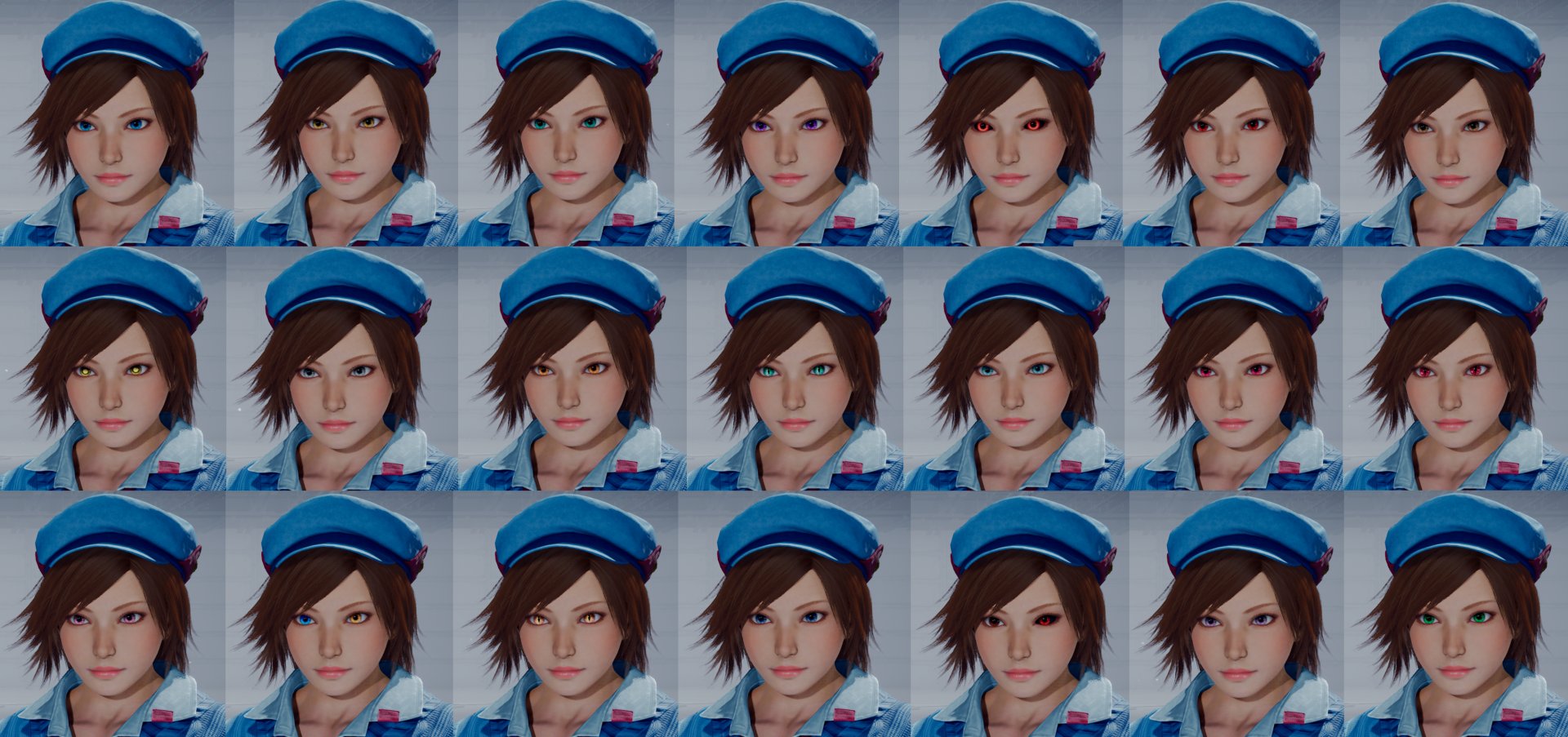
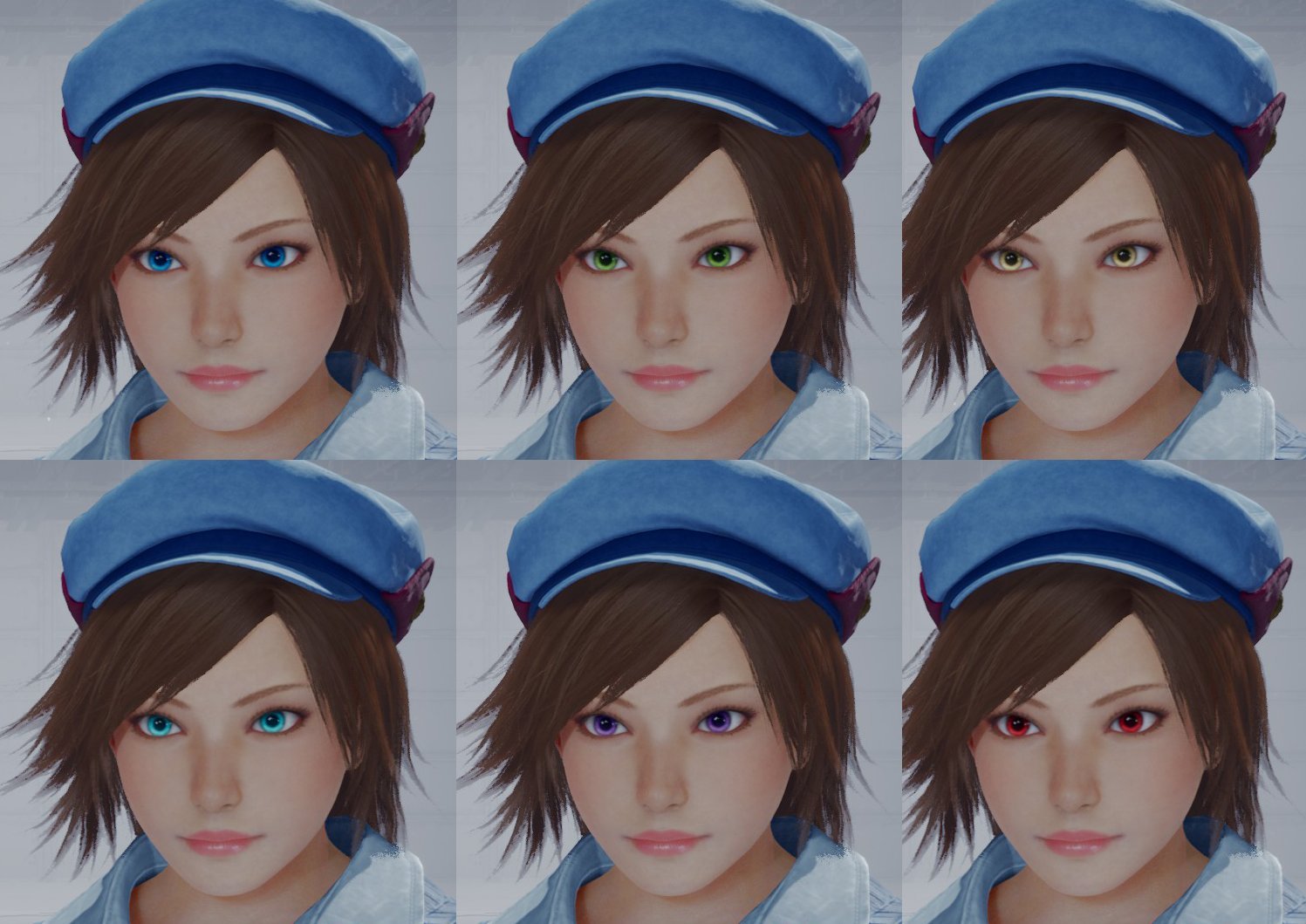
I have made an eye color retexture pack with normal pupils. Works on every character.
Not gonna modify this mod changing color slots, it's a mod I made for my own use and I thought it would be cool to share it.
Only use one version of this mod to avoid conflicts.
Changelog: 1.0: - Initial Release 2.0: - Added new iris recolors for the new added eyes items - Slightly reduced the size of the pupils - Small changes in some color tones 3.0: - Added new iris recolors for the new added eyes ítems - Added new cat pupil texture for new added eyes items - Texture redone so that the iris has more detail - Small changes in some color tones - With the addition of the “Green Eyes” item, the “Snake Eyes” item reverts to default for more eyes variety - Green Eyes item slighly edited to be more greener - Change of slots in some eye colors for greater consistency - Heterochromia Eyes reverts to default colors, but with the new iris texture for greater consistency
3.0: Beast Eyes - Blue Snake Eyes - Default Sunflower Eyes - Yellow Cyber Eyes - Cyan Galaxy Eyes - Purple Devil Eyes - True Devil Kazuya Eyes Mishima Zaibatsu Eyes - Red Justify Eyes - Clear Brown Star Mark Eyes - Angel Jin Eyes Yin-Yang Eyes - Gray Chronos Eyes - Orange Eye Of The Dragon Eyes - Sephiroth Eyes Snowflakes Eyes - Blue Powder Heart Eyes - Red Violet 8 Logo Eyes - Azazel Eyes Sakura Eyes - Pink Heterohcromia Eyes - Iris Edit Crescent Moon Eyes - Eliza Eyes Teary Eyes - Dark Blue Vampire Eyes - Default Single Snake Eye - Devil Gene Eye Luminous Eyes - Lilac Green Eyes - Slight Edit
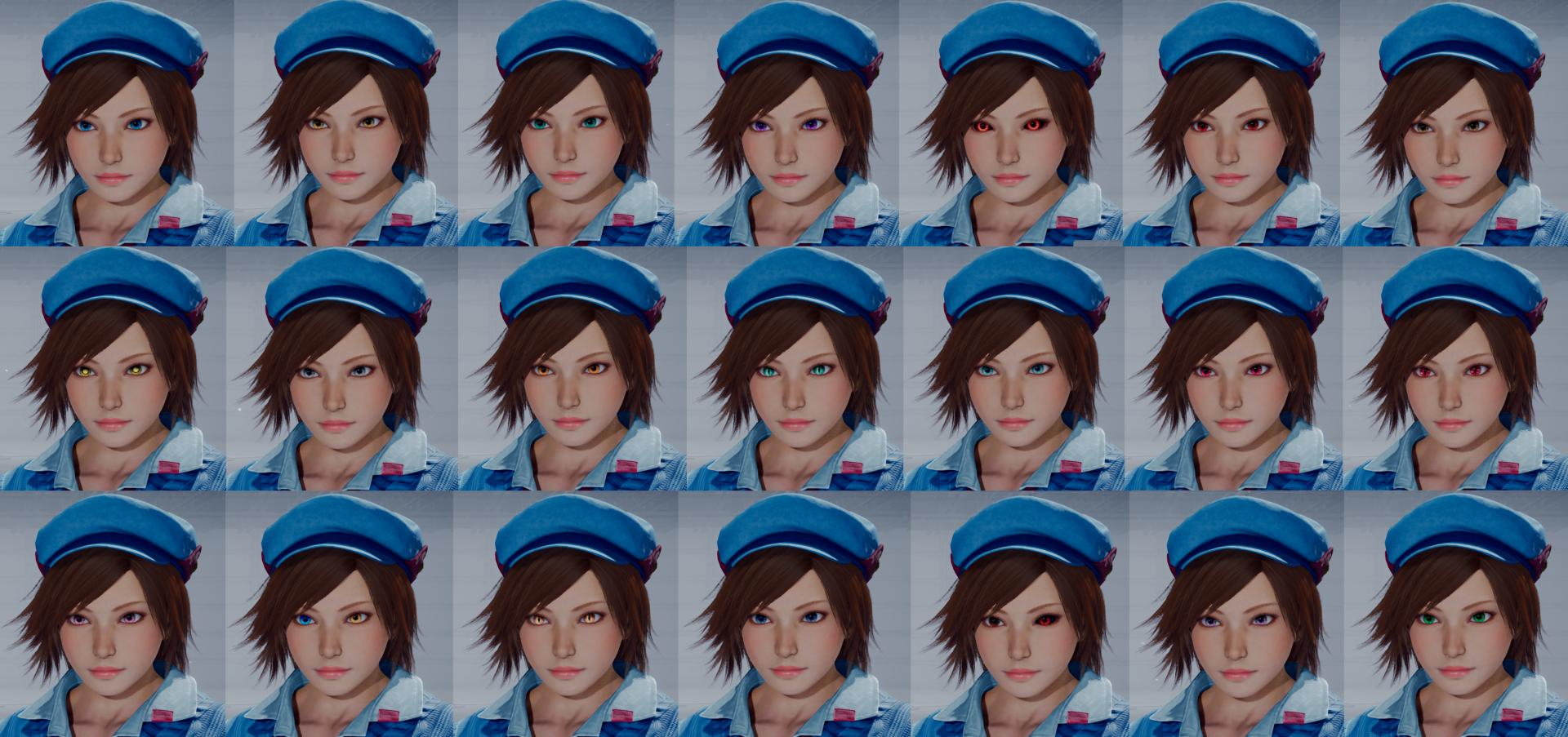
2.0: Beast Eyes - Blue Snake Eyes - Green Sunflower Eyes - Yellow Cyber Eyes - Cyan Galaxy Eyes - Purple Devil Eyes - True Devil Kazuya Eyes Mishima Zaibatsu Eyes - Red Justify Eyes - Pink Star Mark Eyes - Angel Jin Eyes Yin-Yang Eyes - Gray Chronos Eyes - Orange Eye Of The Dragon Eyes - Heterochromia Snowflakes Eyes - Azazel Eyes
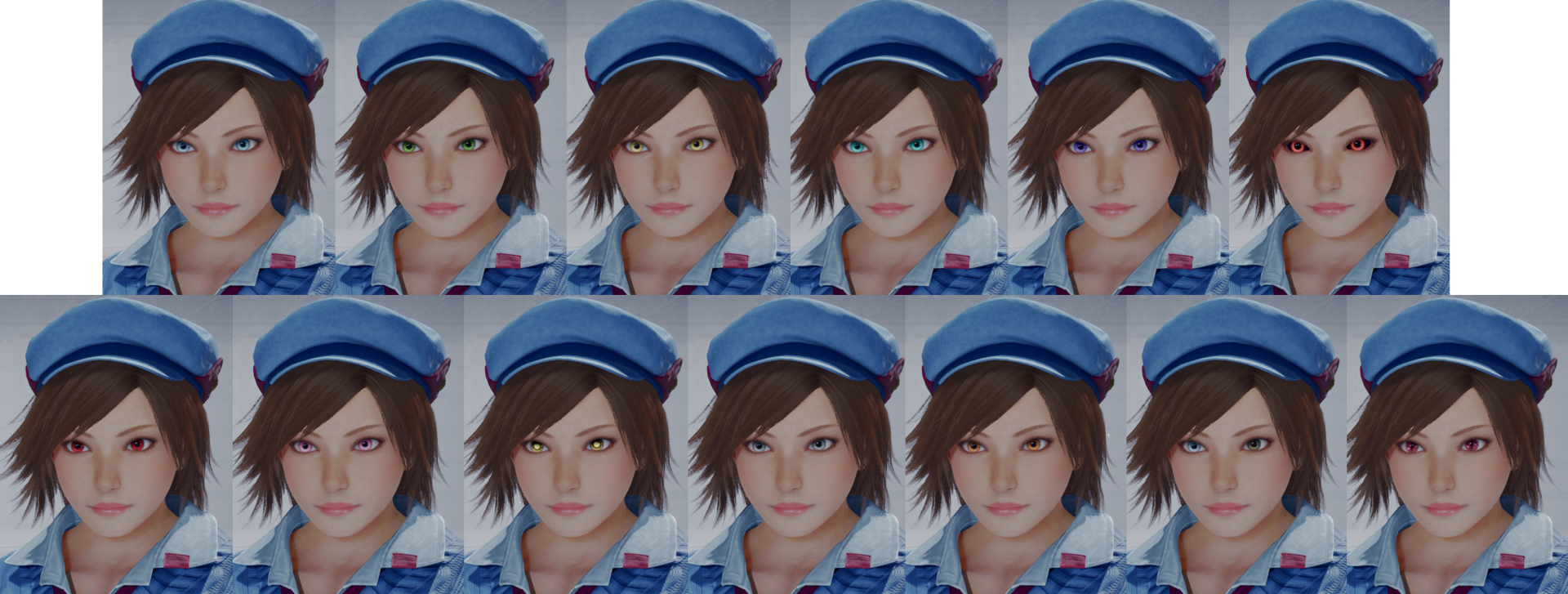
1.0: Beast Eyes - Blue Snake Eyes - Green Sunflower Eyes - Yellow Cyber Eyes - Cyan Galaxy Eyes - Purple Mishima Zaibatsu Eyes - Red
If you don't want to lose an eye color mod because of this mod due to compatibility problems, prioritize the mod by renaming the folder to be the first one alphabetically like this (for example)