Overview
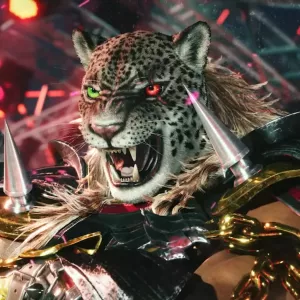
The goal of this mod is to give Armor King a more legacy moveset while still keeping some of the cool new Tekken 8 elements he received. It changes frame data, adds new moves, changes inputs of some pre-existing moves, properties of moves, etc (detailed patch notes will be included in the download). For any old (and new) Armor King players wishing to be able to use an older style of Armor King in Tekken 8, I hope this moveset mod is able to deliver that desire! I am very open to feedback, so if you have any suggestions on how I could make this better, let me know! I hope everyone who tries it enjoys it!
This mod also includes changes to Armor King's voice clips. The TekkenMovesetExtractor allows you to change not only the voice clips themselves, but also allows you to change exactly when and where these voice clips play. With this, you will be able to experience this mod with just a bit of an extra feeling of that glorious old Armor King! However, I am unable to include every single old voice clip in this manner. For this reason, I have also created and am including a sound mod that fills in these gaps. This sound mod will also be able to be used during regular gameplay and not just when you're using the mod (it may not sound as good as when you're using the mod but still nice to have imo). It is optional, though, but I recommend it as it may sound a bit strange at some points without it.
Moveset Mod Installation Instructions
To install this mod, you will simply download the TekkenMovesetExtractor (which can be downloaded here: https://github.com/LukzB/TekkenMovesetExtractor/releases) and extract the files. Once extracted, you:
- extract the
ArmorKingReimagined.zip - drag and drop the t8_ARMOR_KING_REIMAGINED folder into the extracted_chars folder that's inside the TekkenMovesetExtractor folder (if it's not there you can simply create it yourself)
- open up the
TekkenMovesetExtractor.exeprogram - click on t8_ARMOR_KING_REIMAGINED then Import to P1 (or P2 depending on what side you're on)
- wait for it to fully load into the game
- enjoy!
(note: you may need to update the game_addresses.txt or download the latest version if you are getting an error.)
Sound Mod Installation Instructions
To install the sound mod, you simply:
- extract the
ClassicArmorKingVoice.zip - put the
~modsfolder into this directory -->TEKKEN 8/Polaris/Content/Paks(this can be found wherever you have your Steam games installed) - load the game and enjoy!
Online Play
This mod can also safely be used online! To use online, you and whoever you are playing with must both have this mod downloaded and are using the TekkenMovesetExtractor. Once you are loaded into the game, at any point, you will both load the moveset into the game by pressing Import to P1 and Import to P2 for each person (and I recommend doing so during the intros). If done incorrectly, the game will simply desync, and you will just return to the lobby screen. You will also, unfortunately, have to reload the mod into the game every time you start a new game, so it may be worth it to increase the number of rounds there are in your games.