Tekken 7 PS4 Mod Converter v2.9.36
Full Stage + UBulk + Full UI + Safe Mip
Developed by psCobraSS
Convert Tekken 7 PC Mods to PlayStation 4
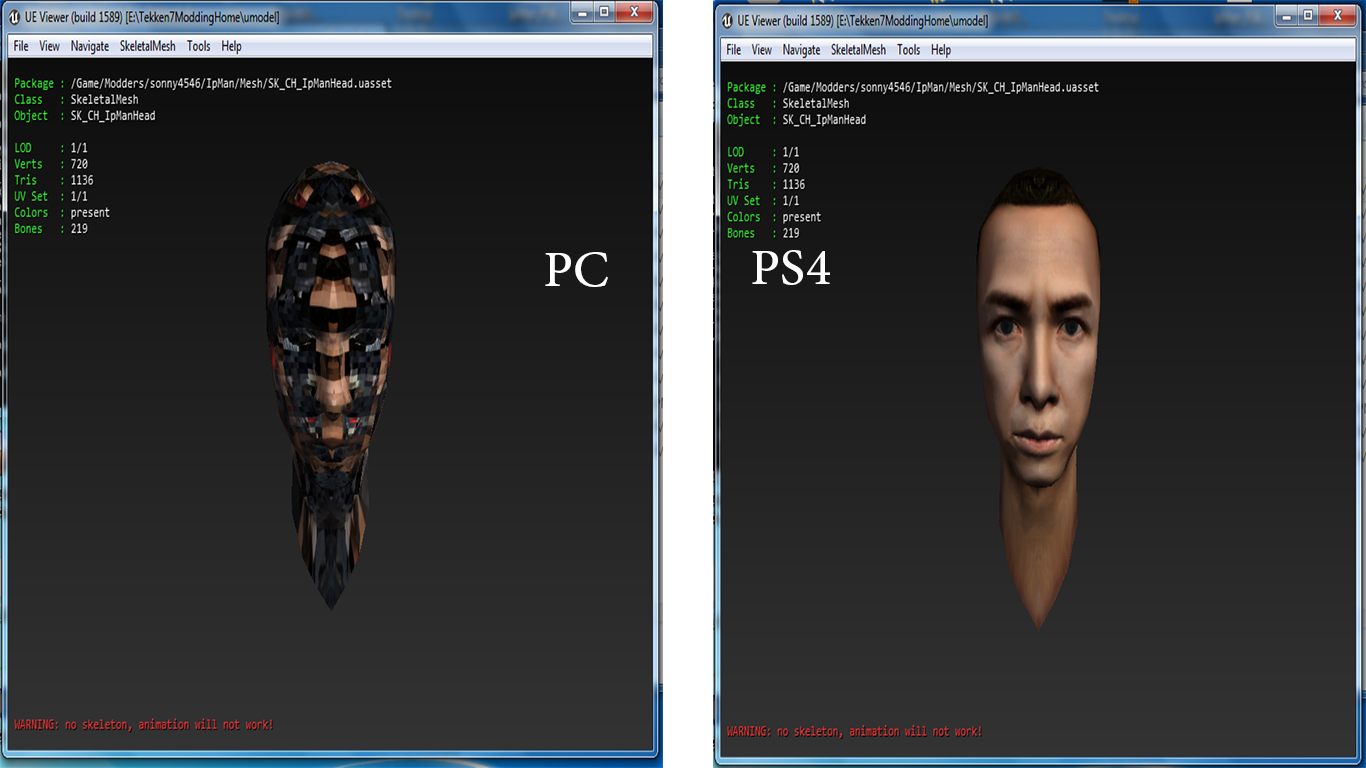
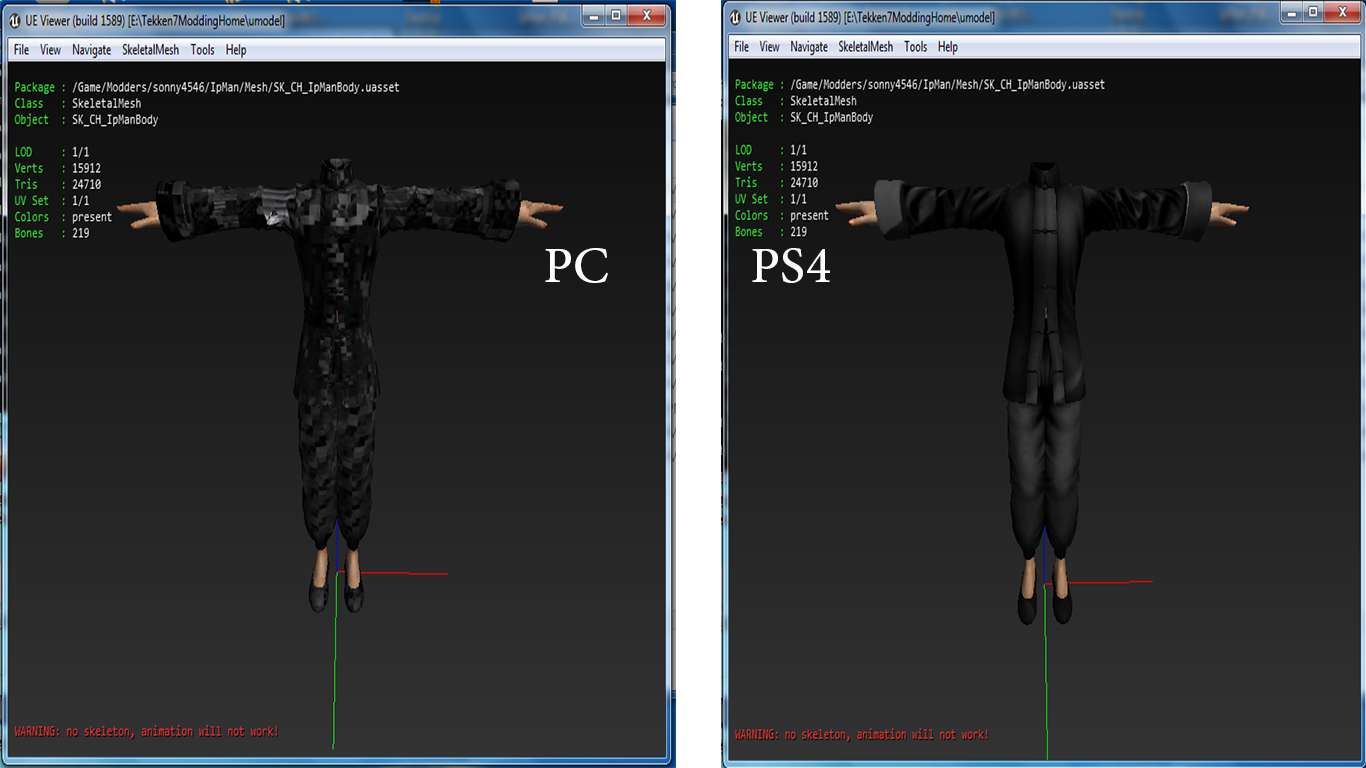
Tekken 7 PS4 Mod Converter by psCobraSS is a Windows application designed to help convert Tekken 7 mods originally created for PC into PAK files suitable for testing on modified PlayStation 4 consoles.
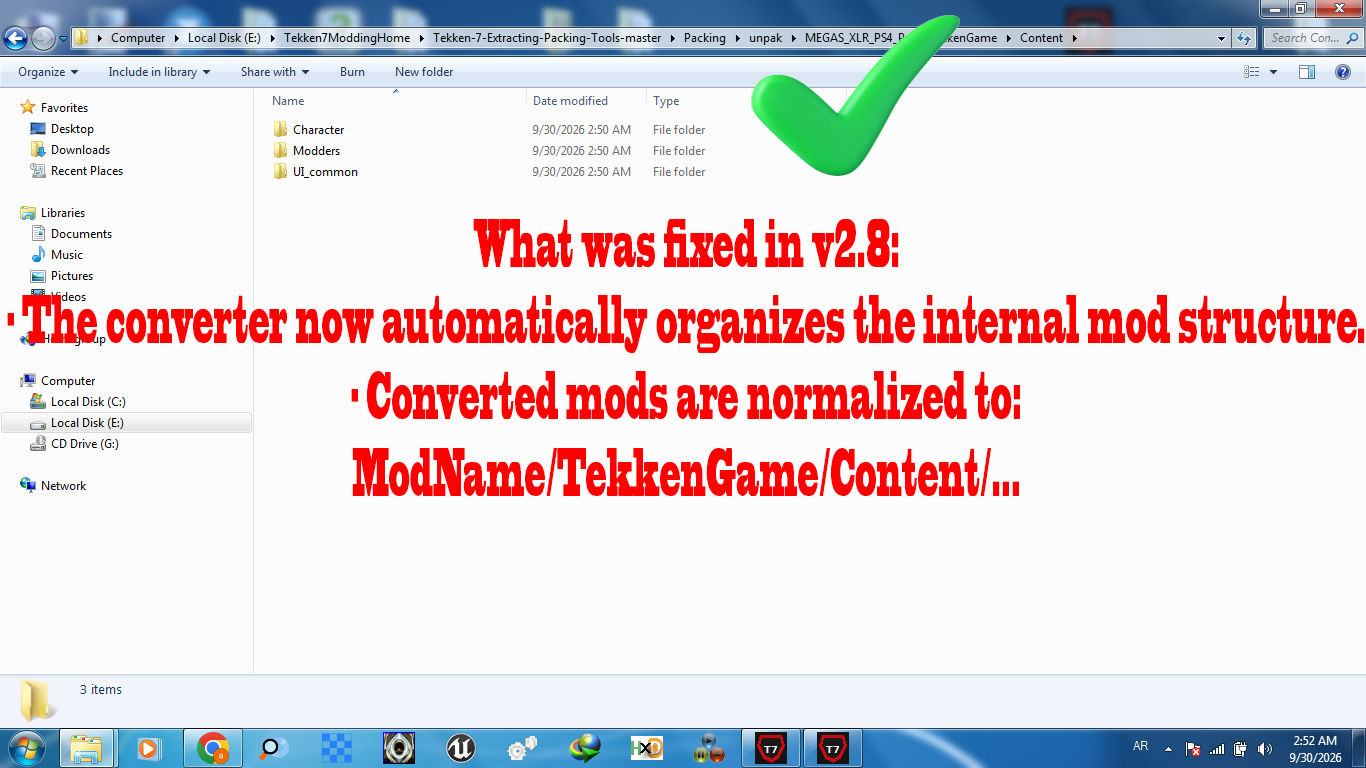
The program simplifies mod conversion by automatically analyzing PAK files, detecting supported textures and assets, applying PS4-compatible texture transformations, and preserving the original mod structure wherever possible.
It uses a verified PS4 Morton 8×8 texture-swizzling workflow and integrates multiple compatibility fixes developed through testing different Tekken 7 mods.
The converter does not require users to manually rebuild every mod using Unreal Engine or perform a new Cooking process.
It supports various types of character, costume, customization, user interface, and selected stage mods.
1. PC to PS4 Character Mod Conversion
The converter supports different types of Tekken 7 character modifications, including:
- Full character replacement mods.
- Custom costumes and outfits.
- Head, face, hair, and accessory modifications.
- Character customization mods.
- Certain DLC character modifications.
The application examines the contents of the original PC PAK and processes supported textures while preserving unrelated mesh, material, and asset files whenever possible.
Its automatic repair system also handles several known compatibility issues that previously prevented certain mods from loading correctly on PS4.
2. Advanced Safe Mip System
Safe Mip is one of the converter's most important features.
During PC-to-PS4 texture conversion, padding and swizzling may change the storage size of individual mip levels. Incorrect handling of these changes can cause corrupted textures, broken UAsset structures, or crashes when entering a match.
Safe Mip is designed to:
- Protect texture mipmap structures.
- Preserve valid original mip levels when necessary.
- Prevent unsafe mip-size expansion.
- Preserve correctly converted PS4 texture data.
- Avoid overwriting converted textures with their original PC data.
- Reduce the risk of invalid texture layouts.
- Work together with other automatic compatibility fixes.
The system has been improved across multiple versions through real-world mod testing.
3. Full UI Texture Swizzle
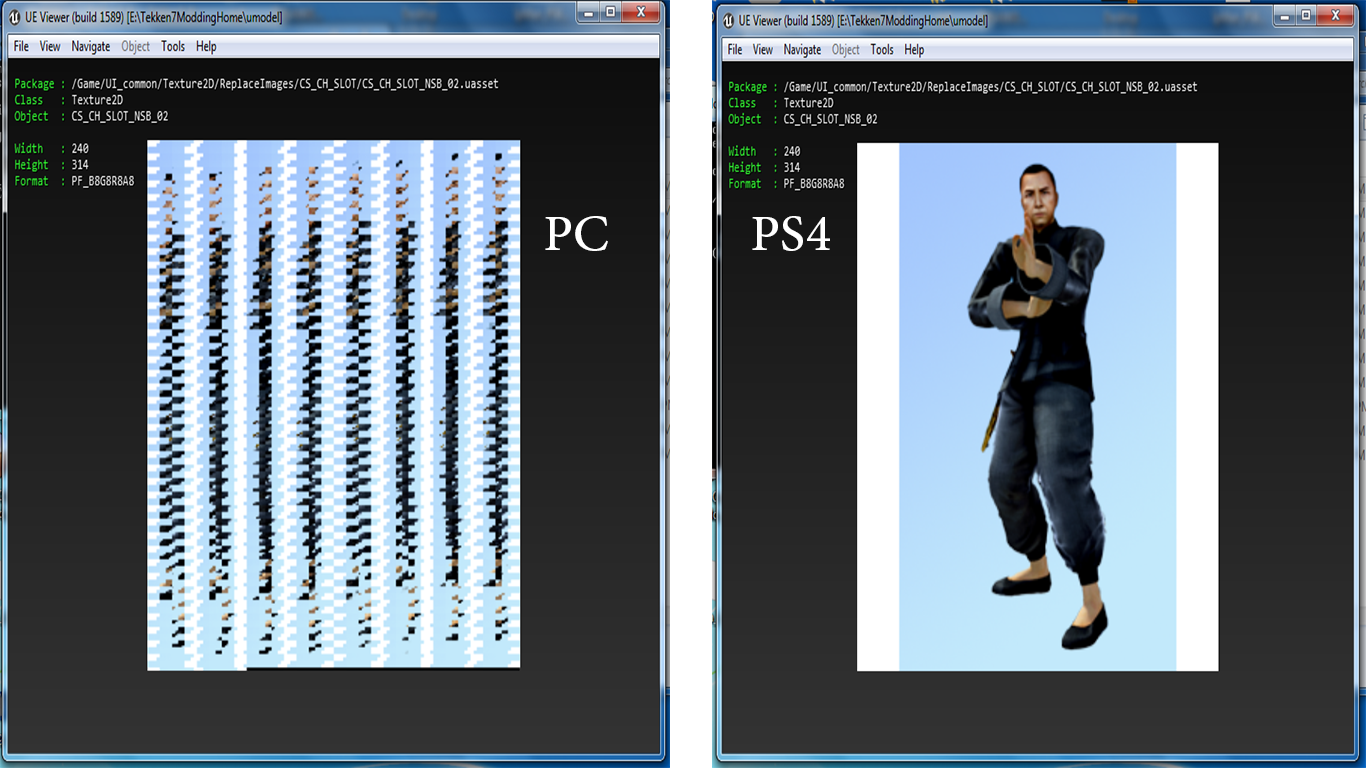
The converter supports automatic processing of compatible textures used throughout the Tekken 7 user interface.
Supported UI categories include:
CS_CH_SLOT: Character and costume slot thumbnails.
CS_CH_L / CS_CH_R: Large character selection portraits.
CS_CH_PANEL: Character selection panels.
CUS_CH: Character customization images.
HUD_CH_ICON_L / HUD_CH_ICON_R: Character icons displayed during matches.
VS_CH_L / VS_CH_R: Versus screen portraits.
CMN_CH_REC: Additional character interface images.
The converter uses PS4 Morton 8×8 swizzling and the required texture padding for supported formats.
It also checks previously converted texture data to reduce the risk of double swizzling.
4. Automatic CUS_ITEM Conversion for All Characters
Version 2.9.36 retains the automatic CUS_ITEM All Characters feature introduced in earlier versions.
This feature detects supported customization item thumbnails inside the selected mod, regardless of which Tekken 7 character they belong to.
It can process thumbnails for:
- Character outfits and clothing.
- Hairstyles and head accessories.
- Masks and helmets.
- Weapons and wearable accessories.
- Customization effects and auras.
- Other selectable customization items.
This includes supported customization assets for standard and DLC characters.
The converter scans all relevant CUS_ITEM paths found inside the mod, processes compatible textures, and attempts to preserve unsupported files rather than removing them.
An additional verification system helps detect and restore CUS_ITEM files that may be missing from the generated PAK.
Note: This feature handles customization menu thumbnails, not the animated visual effects used during gameplay.
5. Body and Costume Texture Conversion
The converter supports several commonly used Unreal Engine texture formats, including:
PF_DXT1 / BC1PF_DXT5 / BC3PF_BC5PF_B8G8R8A8- Selected compatible
PF_FloatRGBApreservation cases.
It can process supported body, costume, face, and accessory textures.
The program also includes a verified body texture repair method designed to preserve correctly swizzled PS4 texture data when padding changes the storage size.
This fix was developed following the successful repair of the Combot character mod.
6. Stage Mod Conversion — New in v2.9.36
Version 2.9.36 introduces Full Stage Texture + External UBulk Support.
The converter can now process selected stage textures whose pixel data is stored externally in .ubulk files associated with Unreal Engine .uasset files.
For supported layouts, the system:
- Detects compatible external Texture2D data.
- Reads the associated mipmap arrangement.
- Applies PS4 Morton 8×8 swizzling to eligible texture data.
- Preserves logical texture dimensions.
- Maintains the original external UBulk file size where required.
- Avoids unsafe expansion of small mip levels.
- Preserves unrelated stage assets.
Stage Selection Image Support
The converter also processes compatible stage-selection images, including folders such as:
SS_ST_L, SS_ST_R, SS_ST_RND, and SS_ST_S.
This helps prevent stage thumbnails from becoming distorted after conversion.
Kame House Stage Fix
The stage conversion feature was developed using the Kame House Tekken 7 stage mod.
The original converted mod exhibited texture distortion, including problems with stage-selection thumbnails.
A manually repaired version, Kame House T2, was confirmed to correct the texture distortion on PS4.
Version 2.9.36 integrates the same supported texture-processing method into the converter.
Important: This is support for recognized stage texture structures, not guaranteed compatibility with every custom stage or UBulk format.
7. Geese Howard and Noctis Compatibility Fixes
The program includes automatic handling for certain DLC-related UAsset compatibility problems.
These include known cases involving:
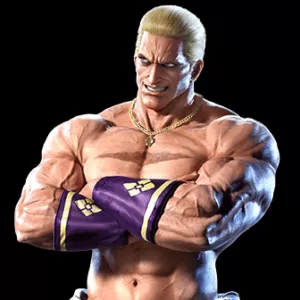
Geese Howard — MRY
Noctis — MRZ, with conditional handling for some NSA-related layouts.
These fixes help preserve the required asset structures in supported cases where converted mods previously became stuck on the loading screen.
8. Additional Integrated Compatibility Fixes
Version 2.9.36 preserves the compatibility improvements introduced throughout previous releases.
GhostKun Regression Fix
Addresses a known regression affecting certain character mod conversions.
Spike Spiegel Dual Platform T1 Fix
Supports certain UAsset files containing multiple TexturePlatformData structures.
Shovel Knight FloatRGBA Fix
Safely preserves compatible PF_FloatRGBA customization textures while correcting other supported mipmap issues.
BC5 Texture Support
Adds handling for supported BC5 textures, including normal-map data.
Mip Flag 1 Support
Processes recognized BulkData layouts using PayloadAtEndOfFile behavior.
Wrapped SLOT Support
Handles known 20-byte wrapper structures in character slot textures.
Verified Full UI Fix
Prevents correctly converted UI textures from being replaced by their original PC pixel data during automatic repair.
Combot Body Texture Fix
Preserves supported swizzled body textures when their storage size changes due to padding.
Panda Penguin CUS_ITEM Fix
Introduces handling to recover missing customization thumbnails and convert supported texture data.
These fixes are integrated into the normal conversion workflow. Users do not need to launch separate repair tools for supported cases when starting from an original PC mod.
How to Use the Program
Step 1 — Download a PC Mod
Download an original Tekken 7 PC mod in .pak format.
Step 2 — Launch the Converter
Run Tekken 7 PS4 Mod Converter on your Windows computer.
Step 3 — Select the Original PAK
Choose the original PC mod file using the program interface.
Step 4 — Start Conversion
Use the normal conversion and save controls.
The application will automatically analyze the PAK, process supported assets, and apply the relevant conversion and repair operations.
Step 5 — Save the PS4 PAK
Save the converted PAK file generated by the application.
Step 6 — Check the Conversion Report
Review the conversion log and .report.json file for information about processed textures, applied fixes, skipped assets, and warnings.
Step 7 — Test on PS4
Install the converted PAK using the appropriate mod-loading setup on your modified PS4, then test it in Tekken 7.
Important: Always start with the original PC PAK. Do not feed previously converted PS4 PAK files back into the converter, as this may cause repeated swizzling or other conversion problems.
User Interface
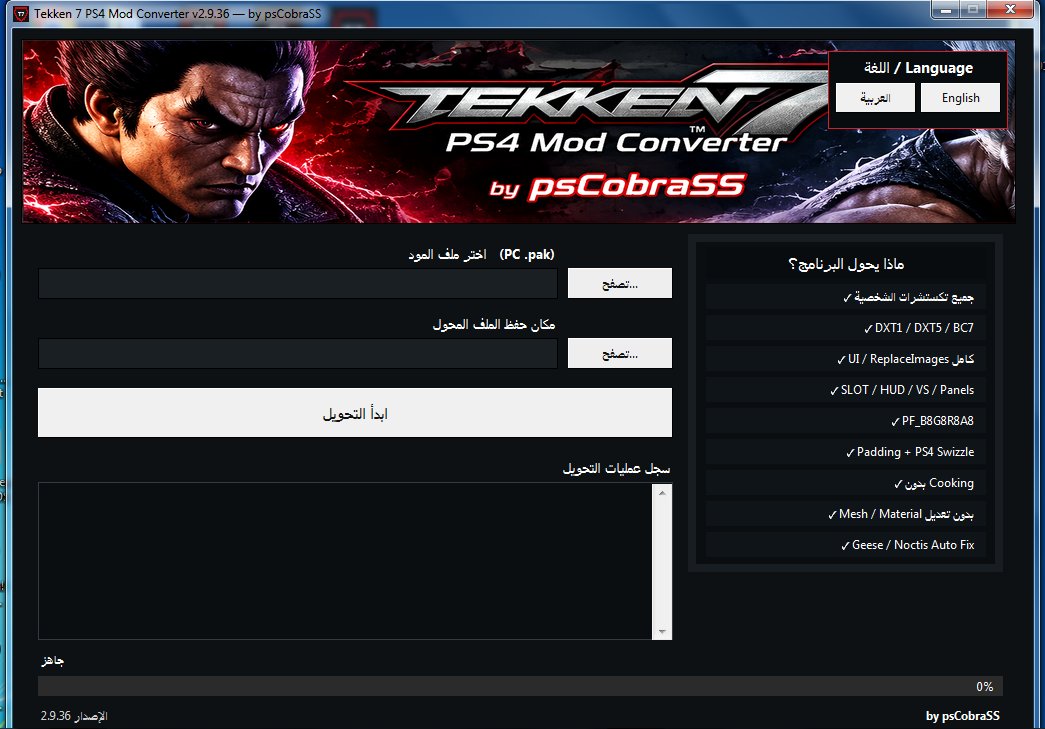
The application provides a straightforward Windows interface designed to simplify the mod conversion workflow.
Key interface features include:
- Arabic and English language support.
- Original PAK file selection.
- Conversion and save controls.
- Conversion progress and diagnostic logs.
- Automatic texture and compatibility repairs.
- Version information.
- Developer credit: by psCobraSS.
Most supported conversion operations are handled automatically without requiring manual adjustments to individual textures.
System Requirements
Operating System: Windows, targeting Windows 7 and newer versions.
Application Format: Single executable .exe file.
Input: Original Tekken 7 PC mod PAK files.
Output: Converted PAK files intended for testing on PlayStation 4, with conversion reports.
Target Game: Tekken 7 — PS4.
Unreal Engine Cooking: No new Cooking process is required for the supported conversion workflow.
Compatibility Note: Windows 7 runtime compatibility has not yet been verified on an actual Windows 7 system for this specific release.
Version 2.9.36 Testing Results
Version 2.9.36 passed 11 out of 11 direct engine tests.
Testing included:
- Reproducing the contents of the previously successful Kame House T2 repair.
- Processing five external UBulk mip levels.
- Processing two additional mip levels stored in UAsset.
- Correcting three compatible stage-selection textures.
- Preventing repeated swizzling.
- Rejecting unsupported external texture layouts.
- Preserving CUS_ITEM functionality.
- Simulating the program's conversion and PAK-saving workflow.
- Verifying unchanged binary outputs for Ghost, Yakuza, and Optimus compared with the previous converter version.
The Kame House reference contained 13 PAK entries and matched the manually repaired version that had been tested successfully on PS4.
However, full regression testing of every previously supported mod has not been completed.
The v2.9.36 executable itself has not yet undergone a complete Windows 7 runtime and PS4 gameplay validation cycle.
Important Information and Limitations
This application is an experimental mod conversion utility, not a complete replacement for Unreal Engine or its Cooking pipeline.
Some mods may contain platform-specific meshes, materials, effects, animations, or stage data that require additional work beyond texture swizzling.
Not every PAK, texture format, external bulk-data layout, or custom stage is guaranteed to be supported.
The program does not automatically optimize stage geometry, lighting, particle counts, or GPU workload. Correct texture conversion does not guarantee higher FPS or eliminate performance drops.
If a conversion fails or produces distorted graphics, keep the original PC PAK, converted PS4 PAK, and JSON conversion report for troubleshooting.
Successful structural validation does not guarantee that a mod will function correctly inside the game.
Release Information
Program Name: Tekken 7 PS4 Mod Converter
Version: 2.9.36 TEST
Edition: Full Stage + UBulk + UI + Safe Mip
Developer: psCobraSS
Operating System: Windows
Target Platform: PlayStation 4
Target Game: Tekken 7
Release Date: October 17, 2026
Release Status: Experimental / TEST
About the Project
Tekken 7 PS4 Mod Converter by psCobraSS is an ongoing modding tool project focused on simplifying the conversion of Tekken 7 PC mods for PlayStation 4.
The converter continues to evolve through testing, compatibility fixes, texture improvements, character mod support, customization features, and stage conversion development.
Future development will focus on improving compatibility with additional texture formats, external asset layouts, custom stages, and more complex Tekken 7 mods while preserving the existing Safe Mip and automatic repair systems.
Developed by psCobraSS — Tekken 7 Modding Tools