
All your Tekken 8 mods in one place, plus custom Electric colors for every Mishima. by Franz2678
What it does
- My mods: every mod in your Paks folders (
Mods,~mods,LogicMods...) in one list, with character pictures, search and filters. Turn mods on and off with one click (nothing is deleted: disabled files just get a-xsuffix). - Install from your downloads: pick a .zip, .7z or .rar you downloaded (or let the hub find recent ones in your Downloads folder), choose which variants to install, done. No extra software needed.
- Online play: one button turns off every mod before you play online, and "Re-enable mods" turns the same ones back on afterwards.
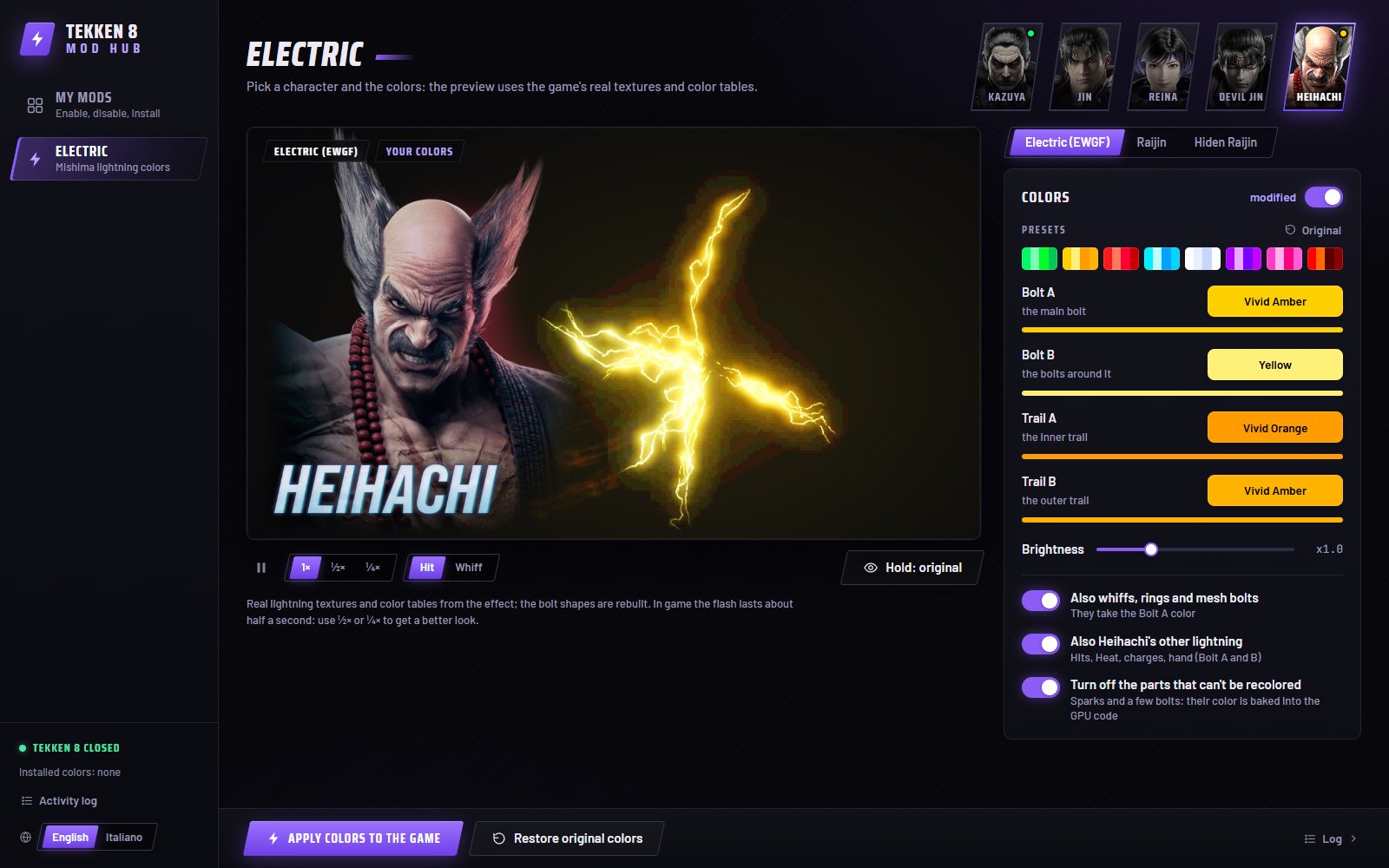
- Electric colors: recolor the Electric Wind God Fist of Kazuya, Jin, Reina, Devil Jin and Heihachi (plus Reina's electric kick and Heihachi's Raijin / Hiden Raijin). Pick two colors for the bolts and two for the trail, use a preset, set the brightness, and watch a live preview drawn with the game's own textures and color tables before applying.
- English and Italian interface.
Requirements
- Windows 10 or 11 (64-bit), Tekken 8 on Steam.
- Microsoft Edge WebView2 Runtime (already included in Windows 11; the hub tells you if it's missing).
Install
- Unzip the T8ModHub folder anywhere you like (not inside the Tekken 8 Paks folder).
- Run
T8ModHub.exe. It finds Tekken 8 automatically (or asks you once). - The first start takes a moment: the hub reads character pictures from your own copy of the game. No game files are included in this download.
Close Tekken 8 before applying colors or installing mods: the game only reads mods when it starts.
Uninstall
Delete the T8ModHub program folder, the folder Paks\Mods\T8ModHub (the mods made by the hub, like the Electric colors) and %LOCALAPPDATA%\T8ModHub. Your other mods are never touched.
Playing online
Mods are modified game files. Bandai Namco does not support mods and has suspended accounts for unauthorized mods in the past. Use "Online play: disable all" in My mods before ranked or online matches. You use mods at your own risk.
Support
The Mod Hub is free and will stay free, with no ads and no paid features. If you like it, you can buy me a coffee on Ko-fi: https://ko-fi.com/franz2678
FAQ
My antivirus or Windows SmartScreen complains about T8ModHub.exe. The hub is a Python app packed with PyInstaller, a kind of program that some antiviruses flag by mistake, and it is not signed. On the SmartScreen message press "More info", then "Run anyway". The hub only works inside your Tekken 8 Mods folder and its own data folder.
Tekken 8 got an update and the Electric tab shows an error. The hub re-reads the original game files by itself after an update. If an effect changed, it tells you instead of making a broken mod; wait for a hub update.
Can I use it with other Electric mods? Only one Electric mod should be active per character. Turn the other one off in My mods.
Credits
- retoc by Truman Kilen and Archengius (MIT): reading and packing the game's IoStore containers.
- texconv / DirectXTex by Microsoft (MIT), 7-Zip by Igor Pavlov (LGPL), Preact (MIT) and htm (Apache 2.0), pywebview (BSD), NumPy, Pillow.
- Fonts: Saira Condensed, Barlow, JetBrains Mono (SIL Open Font License).
Not affiliated with or endorsed by Bandai Namco. TEKKEN is a trademark of Bandai Namco Entertainment Inc.