
INTRODUCTION
This mod brings JUKEBOX to Tekken 7 PC - and takes it further than the PS4 version ever did. Choose the music for EVERY STAGE AND MENU, including support for YOUR OWN CUSTOM SONGS IN .MP3, .WAV OR .WEM FORMAT.
Everything is set up inside the game, with a fully custom Jukebox Mode that can be accessed from the Main Menu. No Cheat Engine, no pak files, no external tools - just drop the files in and play.
JUKEBOX INFINITY
Jukebox Infinity adds a Jukebox entry to the main menu.
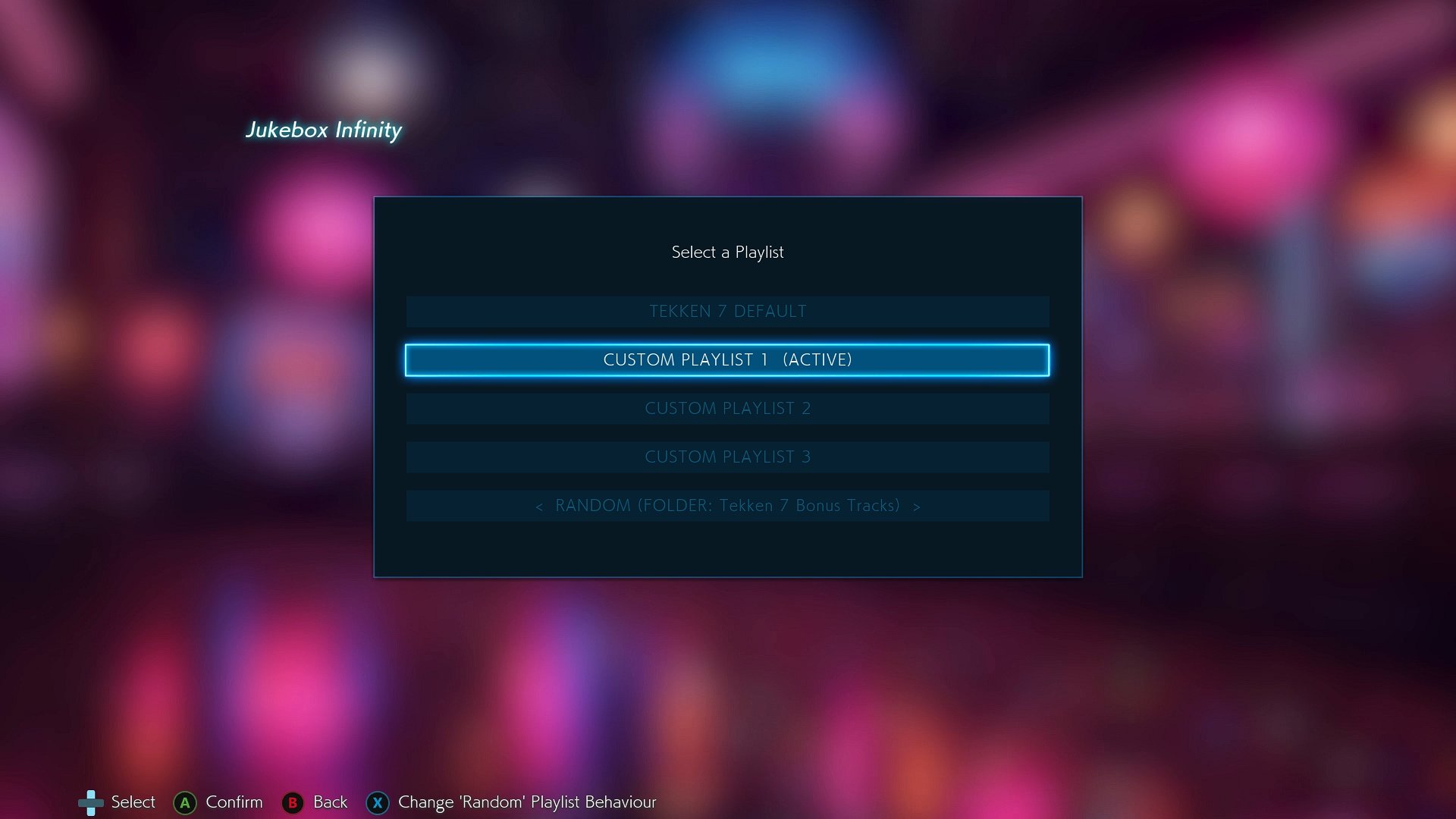
PLAYLISTS: Pick one active playlist and it applies everywhere - offline, online, in every mode. Choose from Tekken 7 Default, 3 Custom Playlists of your own design, or Random playlists.
TWO SONGS PER STAGE: Just like the console Jukebox, every stage can be assigned a song for the early rounds and a separate song that kicks in at MATCH POINT. Twilight Conflict and Dragon's Nest even get a third "Special" slot for Lars' and Leroy's character themes. Additionally, stages that previously didn't have a Final Round song (like Geometric Plane) can now be assigned one.
MENU MUSIC TOO: Set your own songs for the Main Menu, Character Select, and Customization.
RANDOM PLAYLISTS: A random song every match - from everything, from your own songs only, or from just one folder of your choice (e.g. only your Tekken 3 songs). Choose between one song for the whole match, or a new random song at match point. You can even set a single stage to play a random song from a folder!
THE PLAYLIST EDITOR
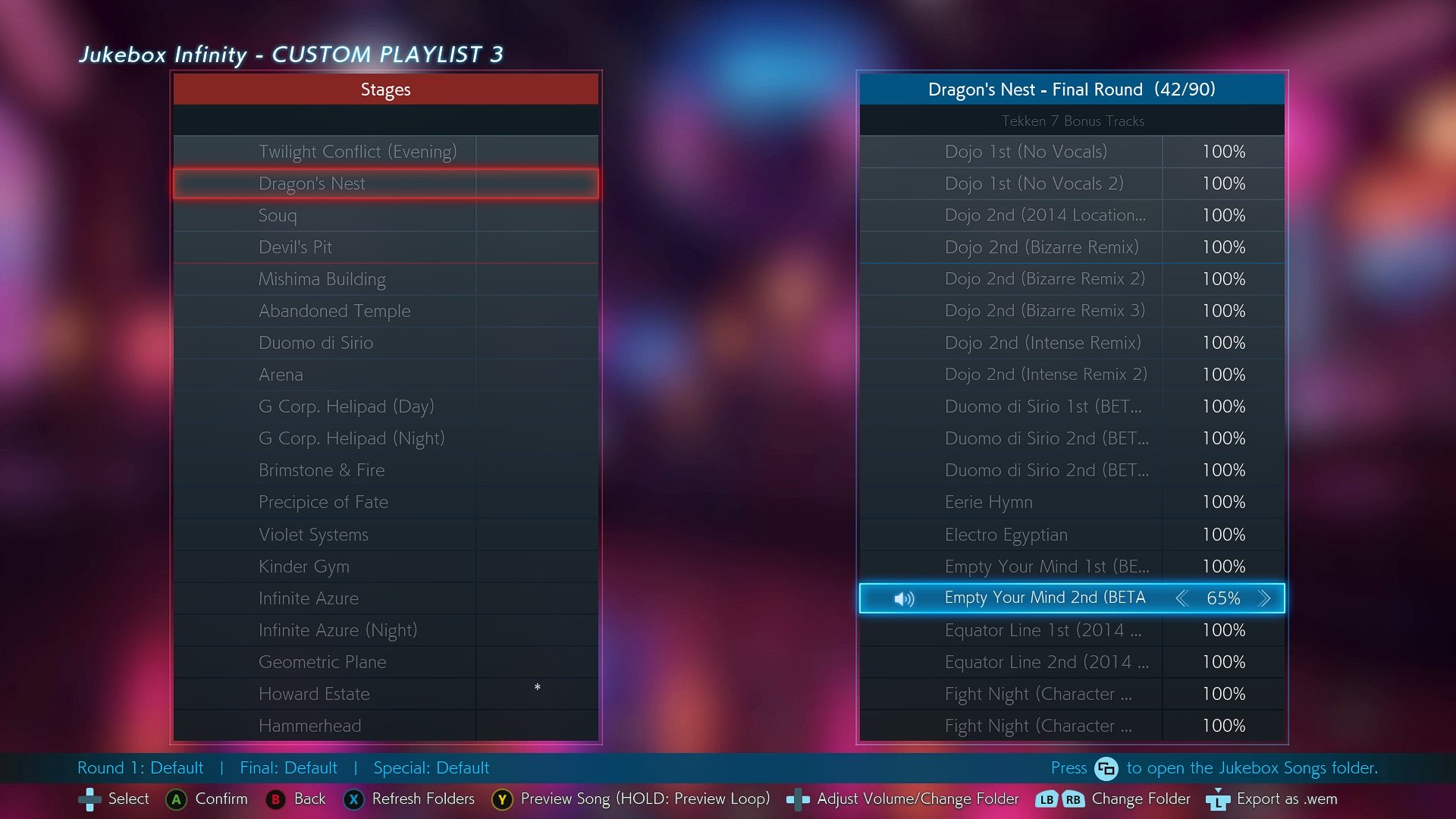
Every Custom Playlist is edited in-game with a stage list on the left and a Song Browser on the right.
PREVIEW ANY SONG: Press Y / Triangle to listen to a song before you assign it. HOLD Y to preview the song's loop and hear exactly how it wraps around.
VOLUME PER SONG: Make any song louder or quieter (0 - 300%) for each stage it's assigned to.
ORGANIZE WITH FOLDERS: Every folder you create in "Jukebox Songs" becomes its own folder in the Song Browser. Flip between them with LB / RB.
QUALITY OF LIFE: Refresh your folders without restarting the game, open the songs folder straight from the editor, reset a stage or a whole playlist in one press, and long song names scroll so you can read them. Japanese, Chinese, Korean and Cyrillic song names are displayed in the game's own fonts.
INFINITE SELECTION OF SONGS
CUSTOM MP3s AND WAVs FULLY SUPPORTED: You can drop ANY mp3 or wav file on your computer into the Jukebox Songs folder, and it will work in the game without needing any further adjustment. Unlike previous Jukebox tools, converting your songs to .wem files is not required anymore.
LOOP POINTS: Set exactly where your mp3 / wav songs loop with a simple text file, so they play endlessly just like the game's own music. Setting loops is very easy.
EVERY GAME SONG INCLUDED: All stage songs, the main menu and character select themes of EVERY SEASON, boss and character themes, story mode tracks, Tekken Bowl, and both end credits songs. Put any of them on any stage or menu.
89 BONUS TRACKS: Beta versions, location test versions, unused remixes and alternate mixes that are sitting in the game files but never play in the game. They have been dug up, listened to, and named.
EXPORT GAME SONGS: Press L3 on any Tekken 7 or Bonus Track song to export it as a .wem file. Use it to build your own folders of game songs - for example a "Dojo Remixes" folder that plays different variations of the song randomly on Mishima Dojo.
No game music is included in the download - the mod plays the songs straight from your own game files.
SAFE AND FULLY REVERSIBLE
NOTHING IS CHANGED IN YOUR GAME FILES. The mod works entirely in memory while the game runs. Delete the mod's DLL and your game is exactly as it was before.
ONLINE FRIENDLY: The music only plays on your PC. Your opponent hears their own music and the fight itself is not affected in any way.
COMPATIBLE: Runs alongside other mods such as T7 Ghost AI and ReShade. If another mod already uses the winmm.dll file name, Jukebox Infinity can be renamed to another dll filename (version.dll, dsound.dll, xinput1_3.dll, or dinput8.dll).
NO MORE PAK MODS NEEDED: Unlike pak-based music mods, there is nothing to regenerate or reinstall every time you want to change a song.
DOWNLOADS
- Jukebox_Infinity_v1.0.zip (Main File) - Includes the mod + the custom animated Jukebox background video (30mb).
- Jukebox_Infinity_LITE_v1.0.zip (Optional File) - Includes just the mod, no custom Jukebox background. The Jukebox screens show the game's Gallery background instead. (382kb)
You only need ONE of the two.
HOW TO INSTALL THE MOD
Installing is simple:
- Download the latest version of the mod
- Open the folder "Jukebox Infinity 1.0"
- Copy the files inside the Win64 folder into your own Tekken 7 install at TEKKEN 7\TekkenGame\Binaries\Win64
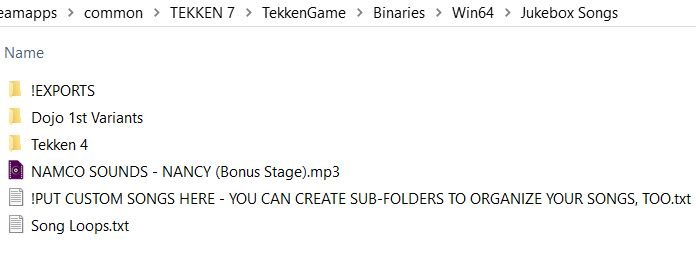
- Put your own .mp3 / .wav / .wem songs into the new Jukebox Songs folder (you can make sub-folders to organize them)
- Launch the game, highlight JUKEBOX on the main menu and press A / Cross.
- Edit a Custom Playlist, then make it your Active Playlist.
To uninstall, just delete winmm.dll from the Win64 folder.
The included README.txt covers everything in detail: controls, loop points, how to make .wem files, the settings file, and troubleshooting.
CHANGELOG
v1.0 - First Release
- First Release
Jukebox Infinity is fully open source. You can view the github repo at https://github.com/NobodyCatchMe-AZ92/T7-Jukebox-Infinity