
Tekken 7 Motion Bridge — Upscaling and Frame Generation
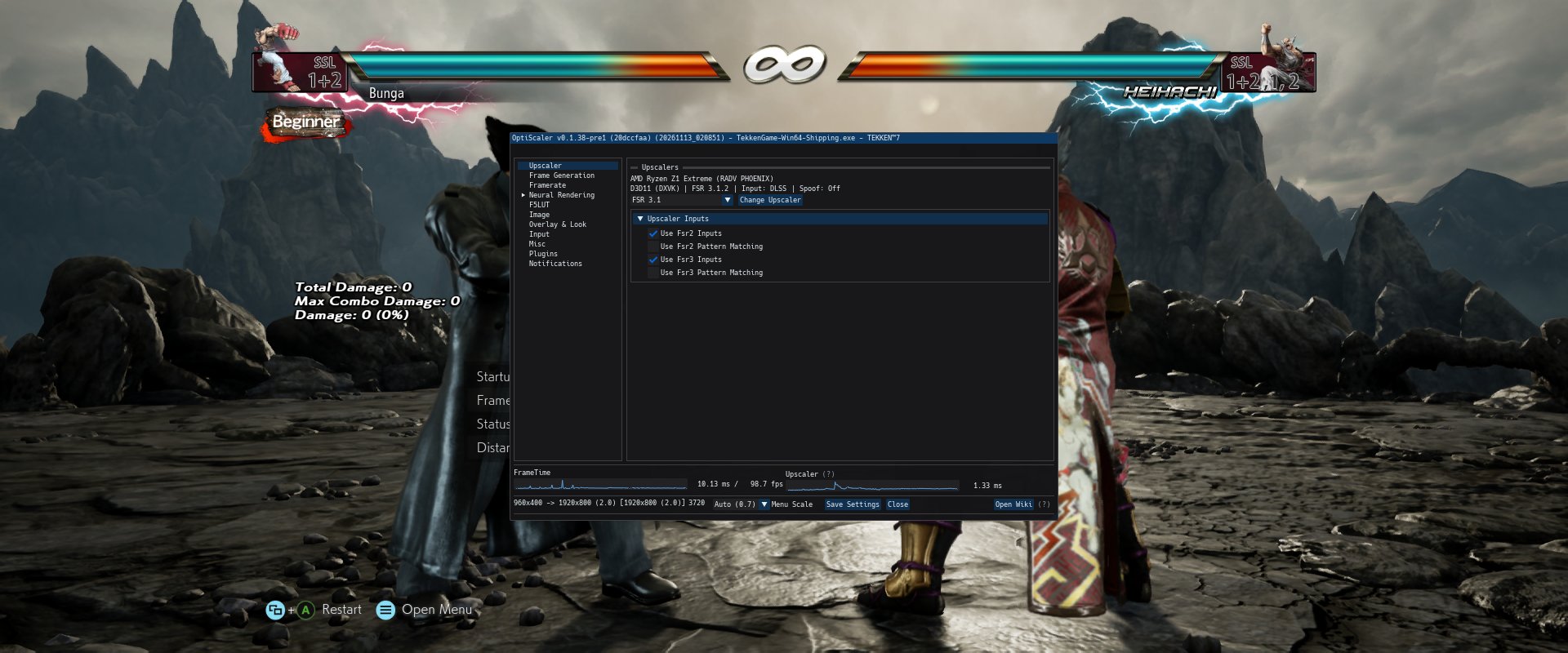
FSR upscaling and frame generation using Tekken 7's own motion vectors, depth and camera jitter. The game HUD is rendered into a separate layer and placed over generated frames.
Features
- In game resolution slider controls upscaling quality.
- Native DX11 ASI integration, without a ReShade runtime.
- Engine object velocity plus camera motion; no synthetic motion estimation.
- FSR 3.1 upscaling through OptiScaler's NGX input.
- FSR Frame Generation through the DX11/DX12 bridge.
- Separate HUD composition, including translucent panels, text, stencil and additive effects.
- OptiScaler menu on Insert, including a fix for the pinned F5 build on Proton.
- Linux installer with Steam discovery, checked dependency download, backups and uninstall.
Install on Linux / Steam + Proton 1. Close Tekken 7 and extract the main download anywhere. 2. Open a terminal in that folder and run bash INSTALL.sh. 3. Steam → Tekken 7 → Properties → Launch Options: DISABLE_LSFGVK=1 WINEDLLOVERRIDES="winmm=n,b" %command% -nod3d9ex Start Tekken 7 and press Insert. No separate ASI loader or manual INI editing is needed. The installer requires Python 3.9+ and downloads the official F5 v0.1.38 archive (~139 MiB). It checks SHA-256 and installs only the needed AMD runtime and licence files.
If Steam discovery fails: bash INSTALL.sh --game "/path/to/steamapps/common/TEKKEN 7" Offline installation accepts the official downloaded F5 ZIP with --f5-archive. Full English instructions and manual-install steps are inside the main download.
Settings The preset selects FSR 3.1 SR + FSR FG. It enables TAA and keeps an existing Rendering Scale below 100% when valid; otherwise it selects 67%. Change Rendering Scale in the game to adjust the SR input resolution. For example, 1920×800 at 50% renders 960×400 and reconstructs 1920×800.
Keep FG Input = Upscaler and FG Output = FSR FG. Async FG and FFX input detours remain off. The mod adds displayed frames; the game's simulation and source-frame limit still belong to Tekken 7.
Compatibility and testing Experimental. Qualified in offline/training on AMD Ryzen Z1 Extreme / RADV, Linux + Proton CachyOS at 1280×720 and 1920×800. Native FSR 2.2 and FSR 3.1 SR paths have been exercised with FSR FG and separate HUD. The bundled preset selects FSR 3.1.
Windows, RTX/DLSS SR, HDR, async FG, other GPU/driver combinations, modified UI shaders and online play need separate qualification. DLSS/NGX is the input interface here; NVIDIA DLSS does not run on AMD. No universal FPS increase or fixed 60→120 result is promised.
Uninstall Close the game and run bash UNINSTALL.sh from the extracted package. The installer restores originals, preserves later unrelated INI edits and keeps backup files. Remove the Steam winmm override if no longer needed. The installer does not patch the game EXE, archives or saves.
Troubleshooting The shipping EXE folder contains Tekken7MotionBridge.log and OptiScaler.log. Check the reported input/output size and increasing generated_with_ui counters with failures=0 during gameplay. For an Insert issue, confirm the winmm override, the pinned F5 version and the bridge log's overlay-routing-fix message. Restart after installation.
Credits and source Motion Bridge: MIT, matching source provided as a separate download. MinHook: Tsuda Kageyu and contributors. FidelityFX public headers/runtime: AMD and contributors. OptiScaler F5: janblade and upstream OptiScaler contributors. Required upstream F5 release (https://github.com/janblade/OptiScaler-F5-DLSSNR-Multipas...). Runtime DLLs are downloaded by the installer from upstream; their original licences apply. This is an unofficial Tekken 7 mod.
If you want to use DLSS 5 on RDNA 3 cards check my other mod: https://github.com/saaaaaaaaaaaaaaaaaas/DLSSNR-RDNA3/rele...