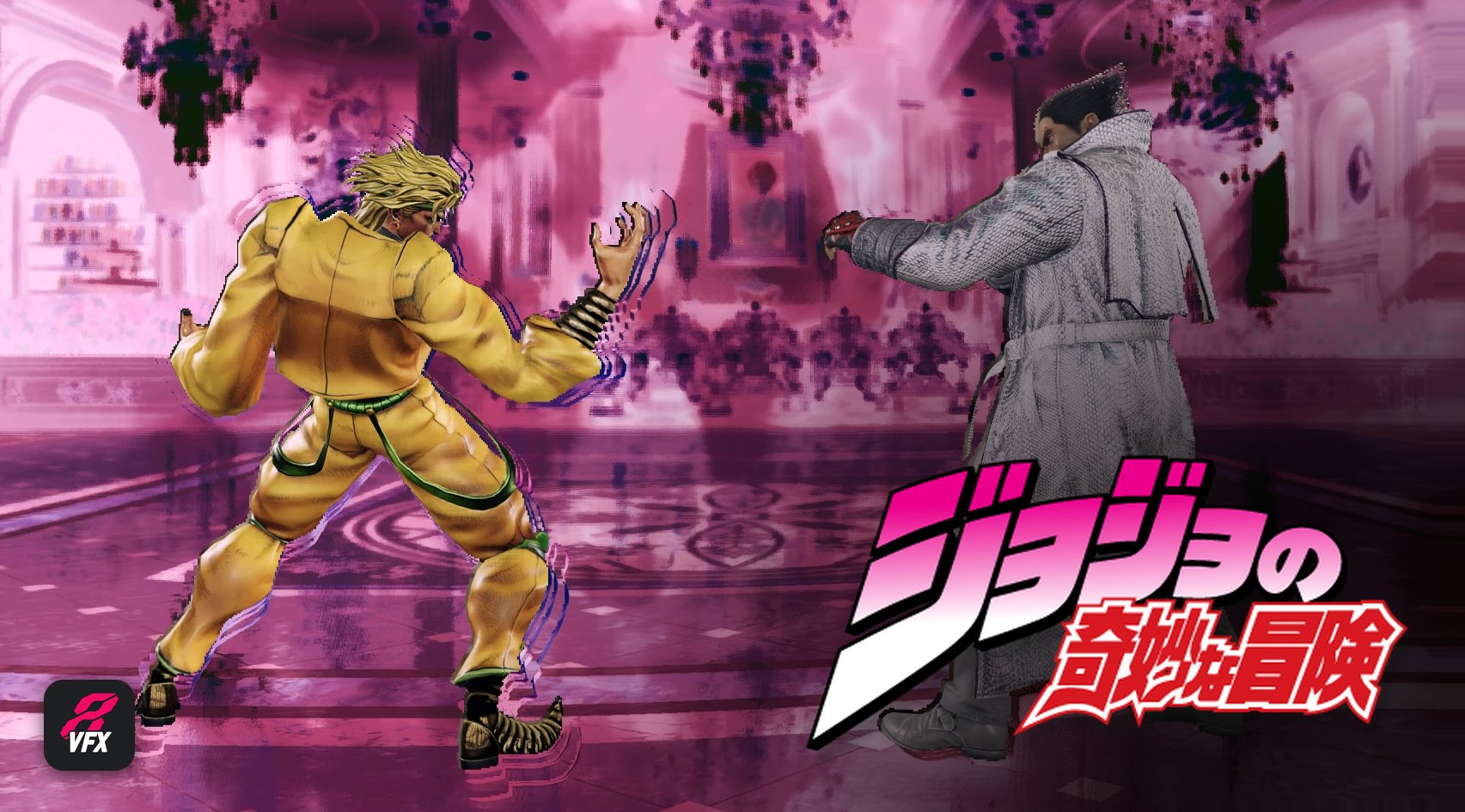
Brings the iconic "ZA WARUDO" time stop effect from JoJo's Bizarre Adventure to TEKKEN 8's Heat Burst.
What it does
- Works online, at your own risk as always
- Triggers on every Heat Burst, for any character, whether you're P1 or P2
- Plays the time stop sound from the anime, sits nicely with the game's audio
- If the Heat Burst gets interrupted, the effect cuts out with it
- Choose who gets the effect: every character, or only the ones you pick
- Turn it on or off anytime, even while the game is running: no need to close or restart TEKKEN 8
-
Best with: No Cinematic Effects Mod
ZA WARUDO works with or without it, but for the best result use it together with No Cinematic Effects. It turns off the Heat Burst camera, so the time stop plays from the normal fight camera, the way it was designed to look.
Install it by following the steps on its page. It works alongside both T8VFX and the manual version.
-
How to install
Option 1: T8VFX app (strongly recommended)
T8VFX is my app that manages all of my VFX mods. It updates itself and picks up every new effect I release.
Already have T8VFX? 1. Close TEKKEN 8 and T8VFX 2. Launch T8VFX only. It updates itself and adds everything this mod needs 3. Once it's done, launch the game and you're good to go!
New to T8VFX? 1. Download T8VFX from the files section of this page 2. Launch it: on the loading screen, it automatically downloads this mod's files into your game folder 3. Wait until it opens, even if it takes time 4. The mod is on by default but you can turn it off at any time in the app 5. Done !
You'll find the effect in the app by clicking the "All" tile. From there you can: - turn it on or off at any time, even while the game is running, no restart needed - open its settings and choose All characters, or Pick only the ones you want
Every other mod in the app works the same way, so feel free to check them out. Here's a quick list of what's available in the app:
- Kazuya: Blue or Golden Spark on PEWGF after DF2 CH, 13f EWGF, CD1+2 after 2 EWGFs, DF1,2 after 3 EWGFs
- Devil Jin: Red or Golden Spark on PEWGF after U3, 13f EWGF, WS3 series, WS3 after 3 EWGFs
- Jin: red eye + feathers + sound on every Breaking Step
- Bryan: Blue or Golden Spark on Taunt Jet Upper, EWGFs on every QCB1
- Armor King: Devil Jin's EWGF on the Dark Upper (CD2)
- Steve: Blue or Golden Spark on Power Punisher and Power Fox Hunt
- Dragunov: EWGFs on every perfect FF2 and perfect FC 1,4
- Bob / Roger Jr.: EWGFs on every CD1 / CD2
- Jin's red eye on the wavedash / QCF for Kazuya, Devil Jin, Heihachi, Reina, King, Armor King, Hwoarang, Roger Jr., Bob, Bryan and Dragunov
...and more coming!
-
Option 2: Manual install (no app, this mod only)
The manual download contains only the time stop: 1 dll + 3 pak files, nothing else.
- Download the zip folder from the files section of this page
- Unzip it (right-click → Extract All...)
- Put dsound.dll in:
TEKKEN 8\Polaris\Binaries\Win64(if you already use an ASI loader, you can rename it toT8VFX_TimeStop.asiinstead) - Put the 3 files T8VFX_TimeStop_P.pak / .ucas / .utoc in:
TEKKEN 8\Polaris\Content\Paks\Mods\T8VFXFiles(create theModsandT8VFXFilesfolders if they don't exist) - Launch the game and do a Heat Burst!
A T8VFX_TimeStop.ini file appears next to the dll the first time you launch the game. Open it to change these settings, then save. It applies instantly, even in-game:
- time_stop = 0 turns the effect off
- time_stop_chars = all plays it for everyone; to pick characters, list their codes, for example time_stop_chars = grl,swl for Kazuya and Devil Jin. (Honestly, go for the app haha)
-
Use one method only
Pick either the T8VFX app or the manual install, never both at the same time.
I strongly recommend the T8VFX app: - You get access to all my other VFX mods, not just this one - Automatic updates: new mods show up in the app as soon as I release them - Fixes after game patches: when a TEKKEN update breaks something, the app gets the fix automatically - Improvements: when I tweak or improve a mod, you get the new version without doing anything
The manual install will only ever contain this mod, and you'll have to re-download it yourself whenever it gets fixed or updated.
Credits to iyulien for the Dio outfit mod.